TRACE / CONNECTED PROJECT WORKFLOWS
Compare schedule versions, logic and near-term constraints.
Review schedule evidence and explore bounded resource and recovery scenarios.
Capabilities depend on module, access, source readiness and configured services. TRACE prepares and explains; authorized people approve.
HOW THE WORK CONNECTS
See the logic behind the next three weeks.
Bring the source
Import supported CSV, XLSX, MS Project XML or Primavera P6 XER exports with recorded assumptions.
Inspect the network
Review supported critical-path calculations, relationships, gaps and differences between retained versions.
Prepare the look-ahead
Create three-week look-ahead drafts with constraints, accountable transitions and export for review.
Will TRACE automatically rewrite my P6 or MS Project schedule?
No automatic write-back is claimed. Reviewable analysis and supported scenarios expose assumptions and calculation evidence; unsupported recovery inputs are refused.
Availability follows your plan, permissions, source inputs and configuration. Read the workflow scope and limits ↗
Review this workflow with your team ↗TRACE Intelligence: schedule and resource scenarios 11 entries
Combine deterministic schedule analysis with bounded alternatives for authorized review.
Module and source availability apply- Supported schedule imports
Read CSV, XLSX, MS Project XML and Primavera P6 XER exports through supported parsers.
- Immutable schedule versions
Retain source identity, import assumptions and authorized version comparisons.
- CPM and logic analysis
Inspect supported critical-path calculations, relationships, gaps and version deltas.
- Rolling look-ahead
Prepare three-week look-ahead drafts with constraints, accountable transitions and export.
- Living Project rehearsal
Compare up to four user-supplied network alternatives for duration, release and dependency changes.
- Recovery scenario generation
Generate four fixed-priority heuristic proposals for eligible complete, unstarted networks of 1-200 activities and up to 1,000 supported relationships.
- Work-calendar handling
Evaluate supported work periods, closures and dependencies in the recovery planner.
- Resource feasibility
Respect declared labor/equipment capacities and material-release constraints in supported recovery cases.
- Declared cost comparison
Show direct work costs based on the supplied rates and inputs, rather than inferred project margin.
- Unsupported-input refusal
Inspect original source semantics; refuse unsupported logic, ambiguous defaults, actual-progress recovery and unrepresentable constraints.
- Reviewable output
Show assumptions, finish effects and relevant calculation evidence without modifying the imported schedule.
Legacy rehearsal uses abstract elapsed minutes; recovery is a separate constrained planner. Neither guarantees a global optimum, constructability, Monte Carlo probabilities or automatic write-back to P6/MS Project.
Source and availability details ↗See the workflow with your team.
Use a working session to review the records, responsibilities and configuration your project needs.
SEE IT IN TRACE
Open the screen. Follow the work.
See the TRACE workspace behind this capability, with its related navigation expanded and the project record in view.
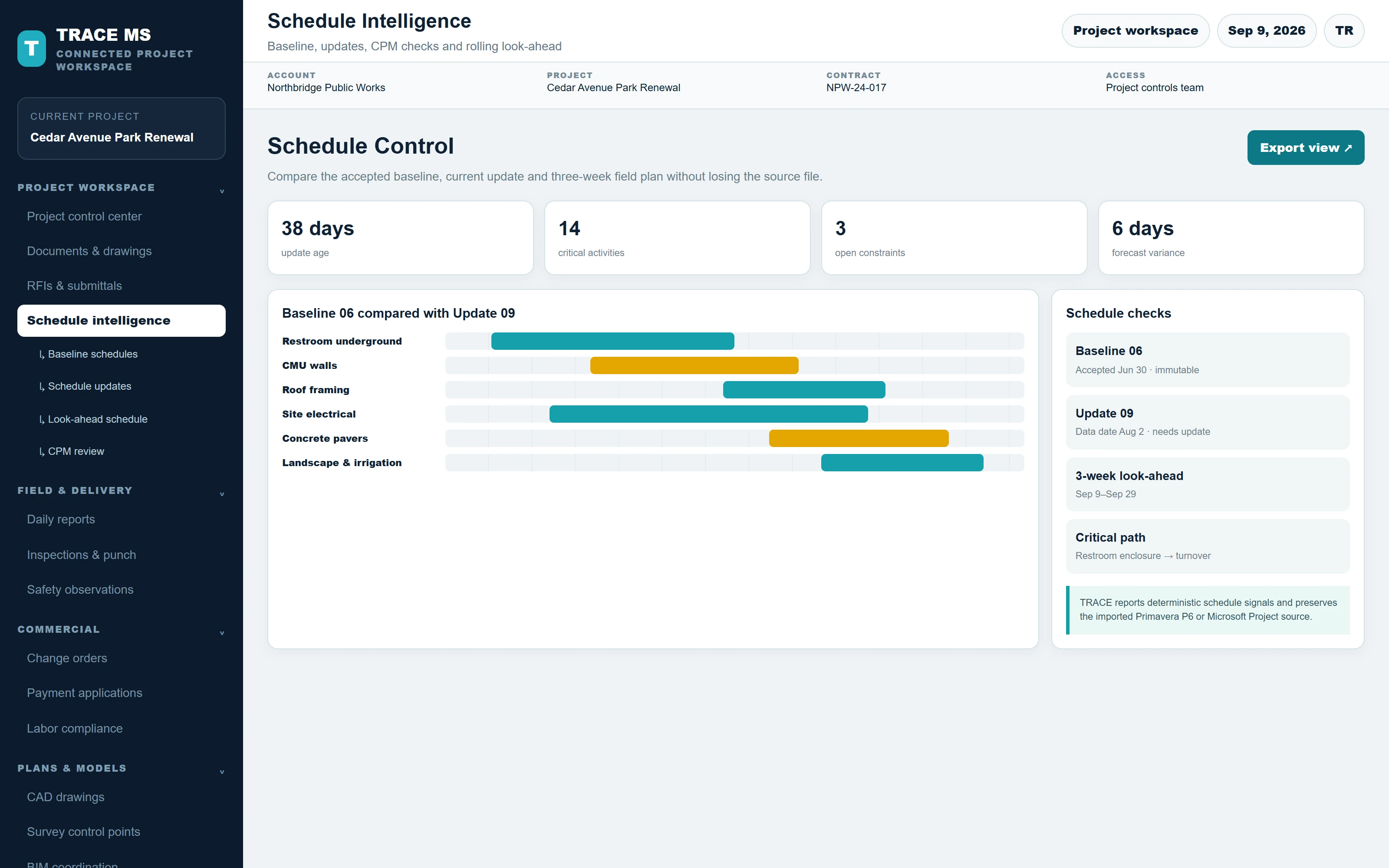
TRACE interface shown with the Cedar Avenue Park Renewal sample project. Menus and capability names match the TRACE workspace. The complete screen scales to the device width.